ARIA/ARIA MES/SCADA
MES & SCADA · line supervision cockpit
ARIA MES/SCADA · Showcase

The screens of ARIA MES/SCADA.

5 main ARIA MES/SCADA screens with technical captions. They are real screenshots captured on a live plant — what you see here is exactly what the shift lead sees.

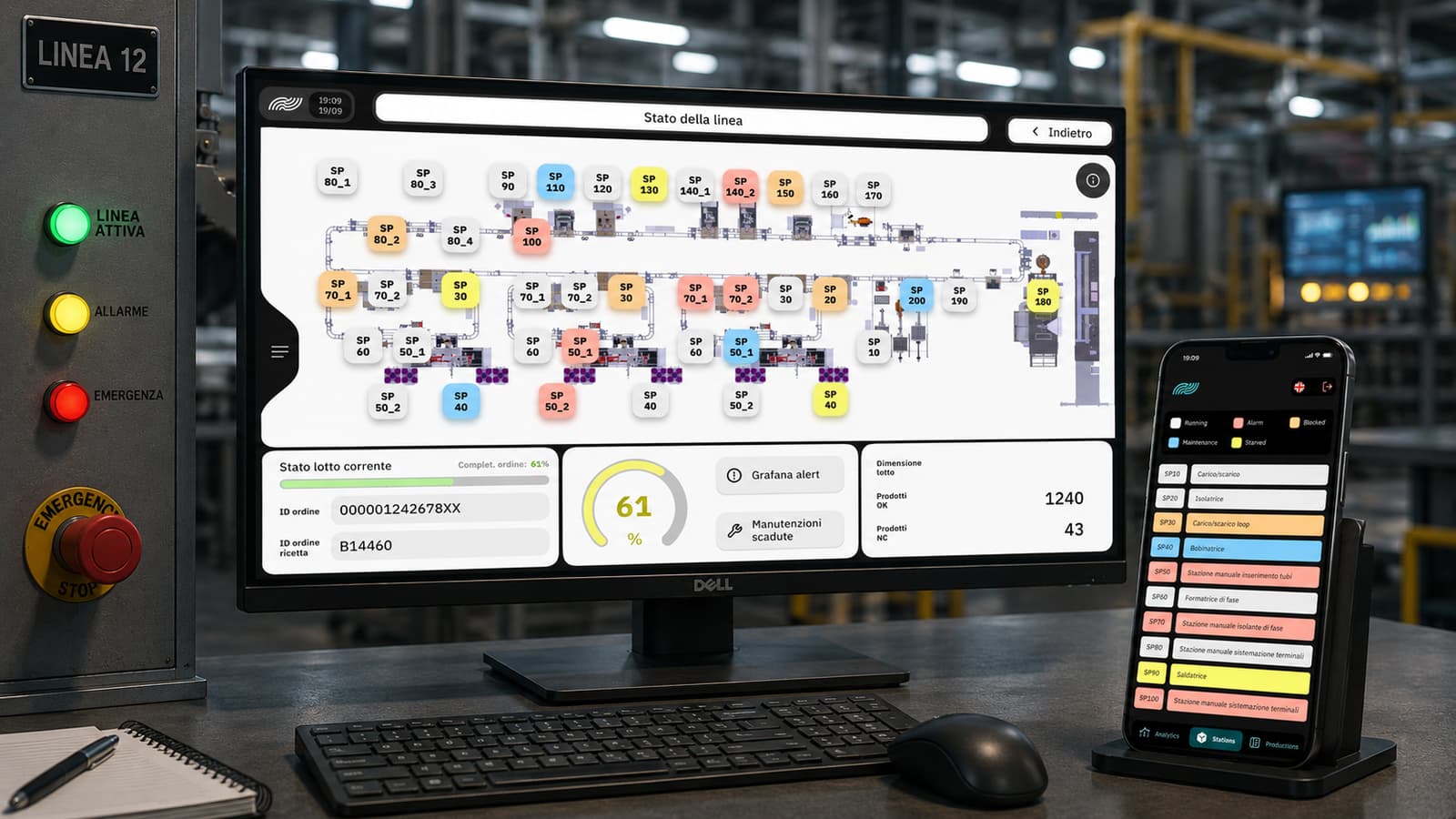
ARIA MES/SCADA — Line Status screen with plant layout, OEE KPIs, current batch/recipe, and mobile-app mirror
Screen · 01

Line status — overview

The screen the shift lead opens first: plant layout with every station, real-time status for each (Running · Alarm · Blocked · Maintenance · Starved · Stowed), current OEE, batch ID, and active recipe. The same view is mirrored on the mobile app for those not at a shop-floor terminal.

  • Full line layout, each station a node
  • Real-time status + Running/Alarm/Blocked/… legend
  • Current OEE · batch · active recipe
  • Mirrored 1:1 on the mobile app
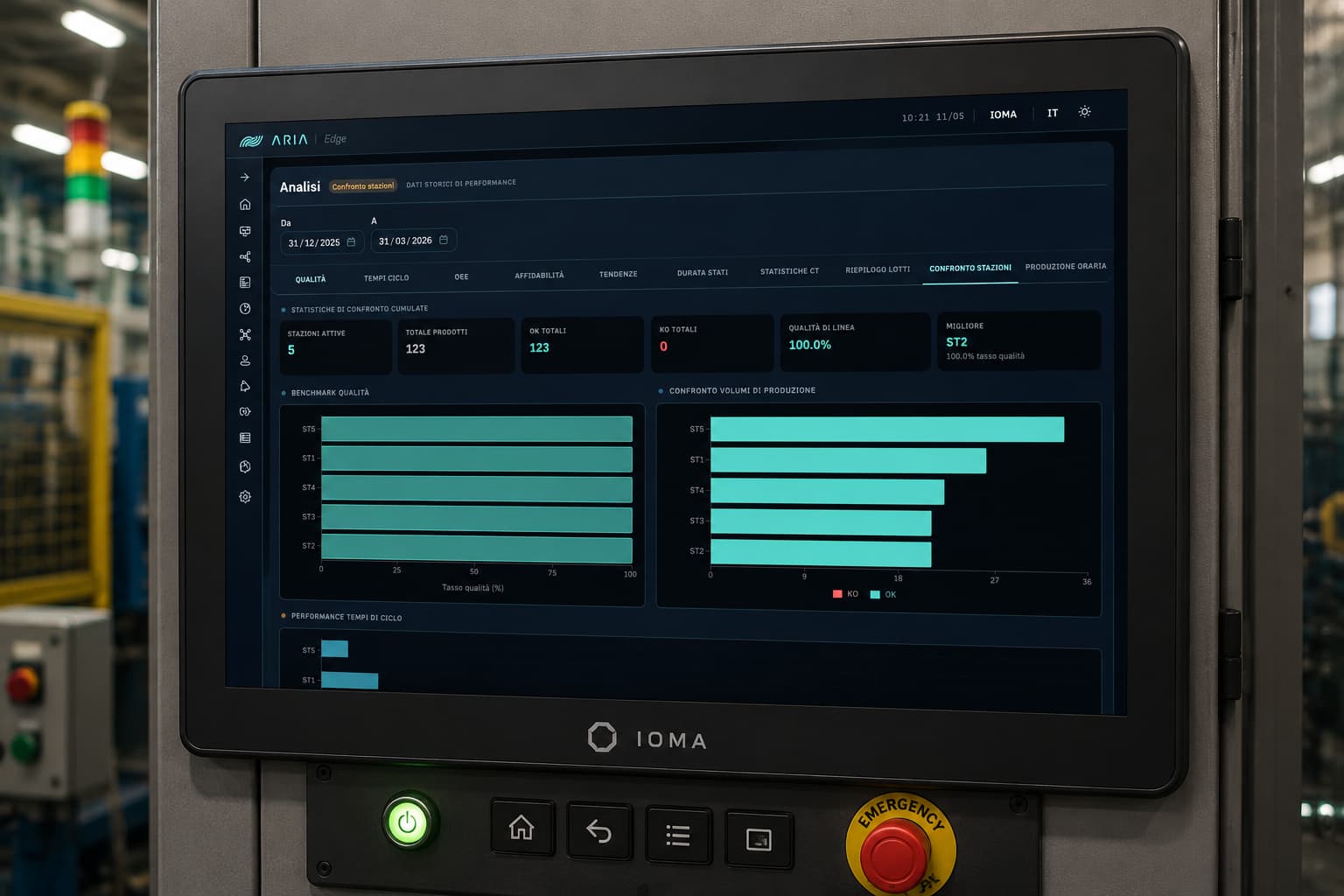
ARIA MES/SCADA Analytics screen — station comparison with cumulative KPIs, quality benchmark, production volume comparison, and cycle-time performance
Screen · 02

Analytics · station comparison

Cumulative analytics dashboard for the line. Active stations, total parts, OK/KO, line quality, and best station up top; below, quality benchmark, production-volume comparison, and per-station cycle-time performance over any time window. It's the first view a shift lead opens to understand what happened over a shift or a week.

  • Cumulative KPIs · active stations, parts, OK/KO, line quality, top station
  • Per-station quality benchmark
  • OK · KO production volume comparison
  • Cycle-time performance
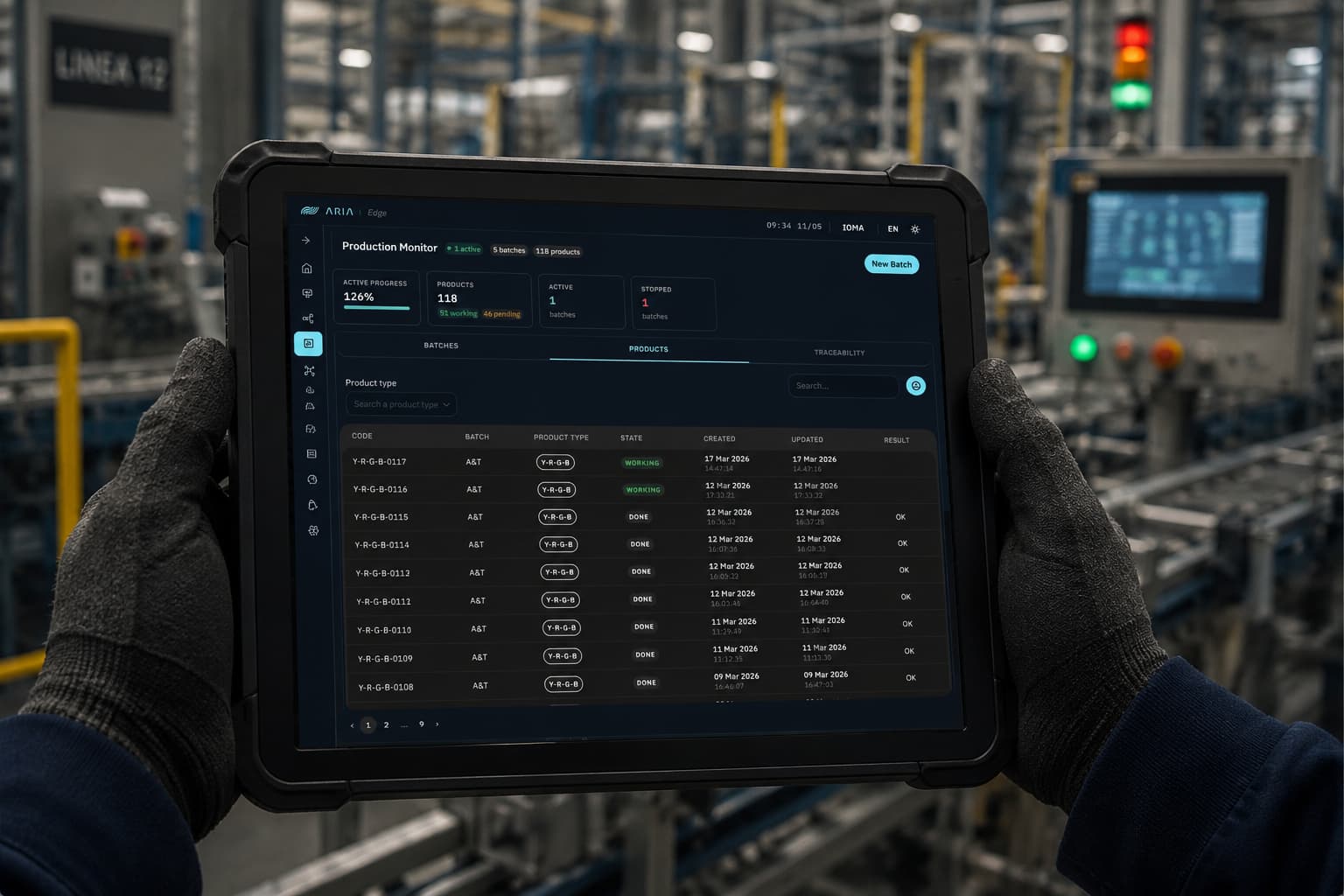
ARIA MES/SCADA — Production Monitor with line KPIs (active progress, parts, batches) and product table with code, batch, status, and timestamps
Screen · 03

Production monitor · parts on the line

The view the shift lead keeps open alongside Line Status: production-plan progress, total parts with working/pending, active and stopped batches up top; below, the products table with code, batch, product type, status, creation timestamp, last update, and OK/KO outcome. Batches · Products · Traceability tabs to drill down in one click.

  • Line-status KPIs — active progress, parts, active/stopped batches
  • Batches · Products · Traceability tabs
  • Products table with status, timestamps, and outcome
  • Product-type filter · live search
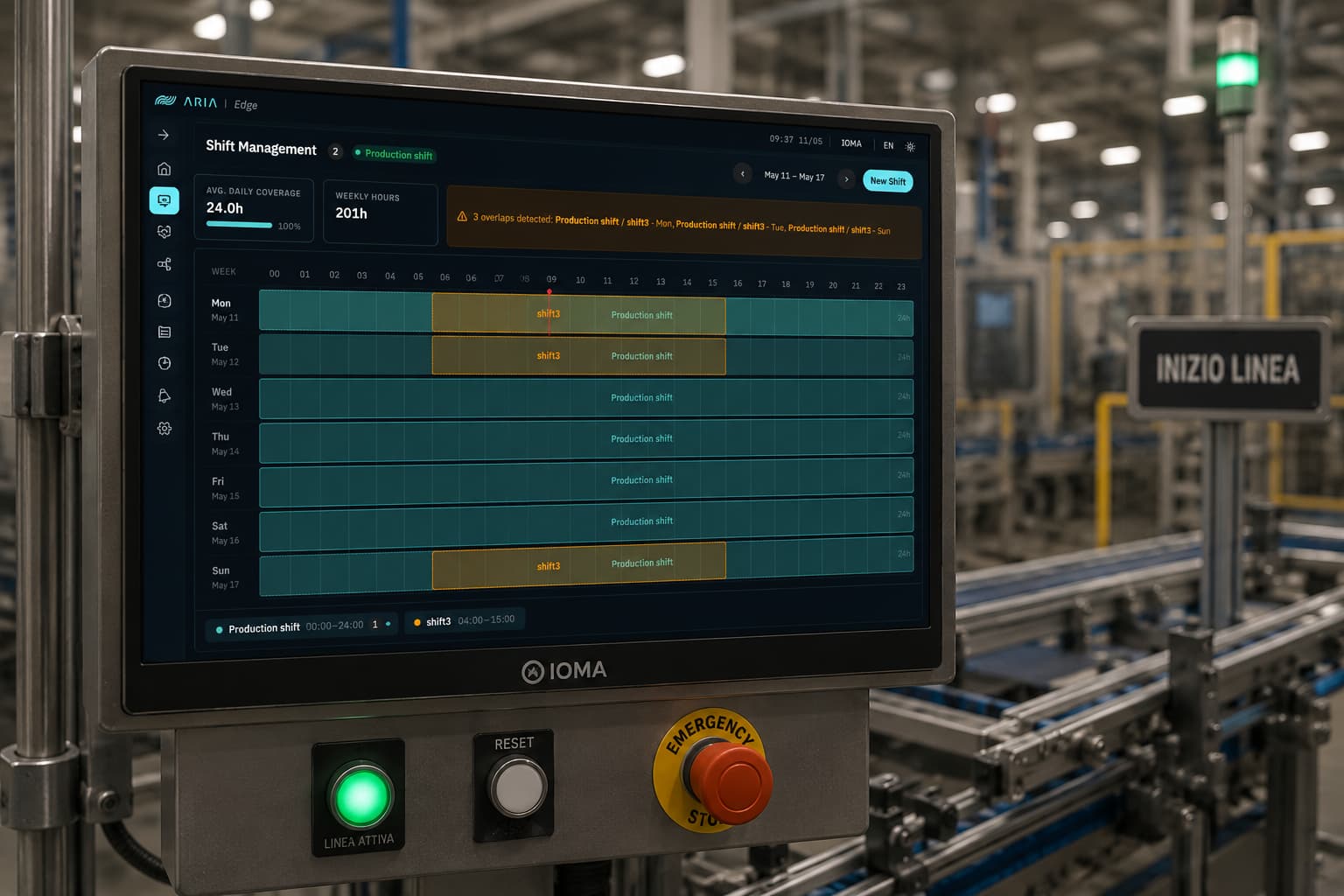
ARIA MES/SCADA — Shift Management with weekly heatmap of production shifts, daily coverage and weekly hours KPIs, overlap detector
Screen · 04

Shift management

Weekly shift planning with a Mon-Sun × 24h heatmap. Average daily coverage and weekly hours summarized in two KPIs; an overlap-detector banner automatically flags shift overlaps (here, 3 conflicts between Production shift and shift3 on Mon, Tue, Sun). Multi-shift, drag to extend the window, no extra rows of Excel for whoever runs the plan.

  • Mon-Sun × 24h weekly heatmap
  • Average daily coverage + weekly hours
  • Automatic overlap detector across shifts
  • Multi-shift (Production / Shift3 / …)
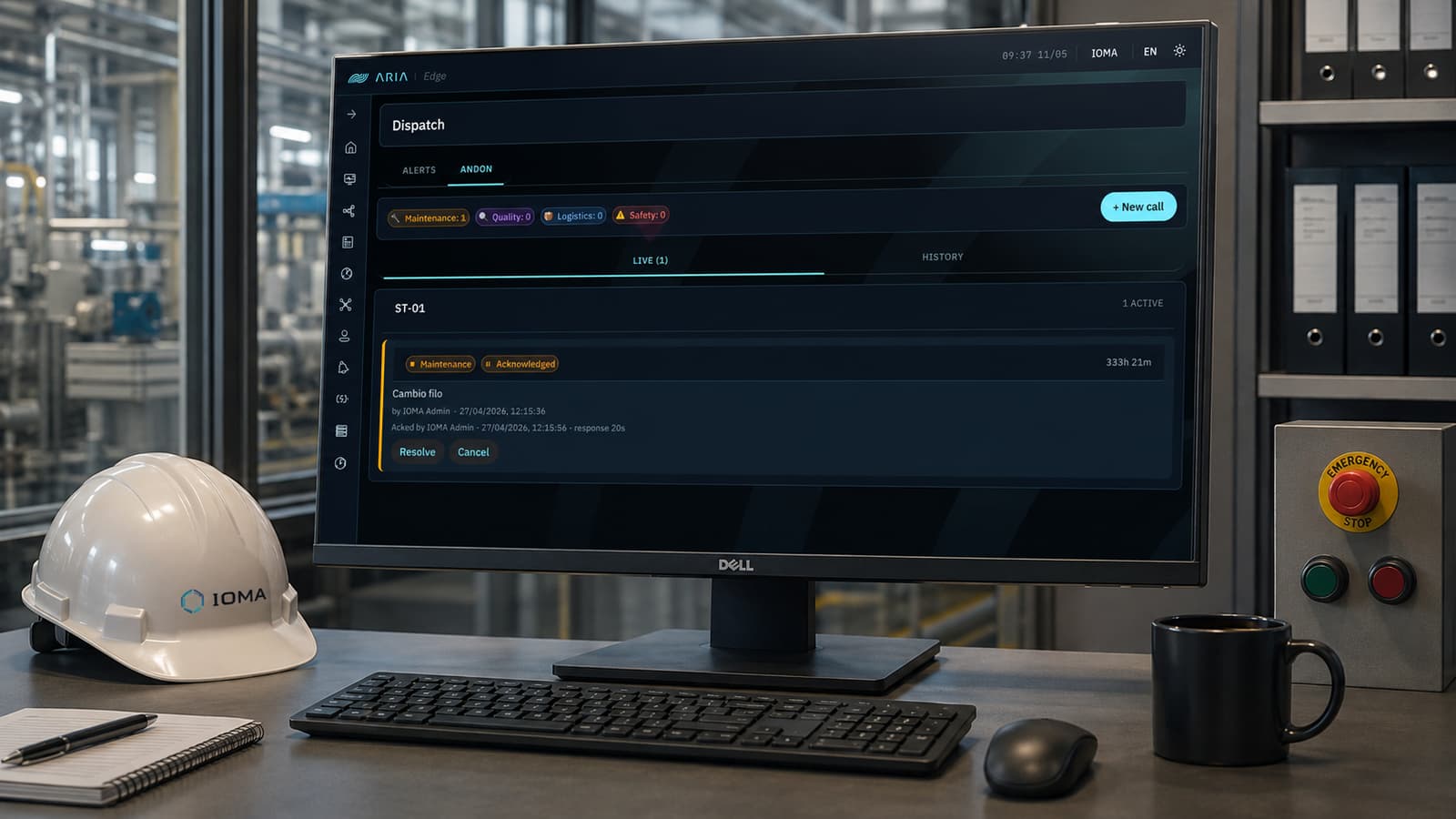
ARIA MES/SCADA — Andon dispatch with Maintenance/Quality/Logistics/Safety categories, live event list with station, status, cause, and response time
Screen · 05

Dispatch · andon calls

The line's andon control center, organized by category — Maintenance, Quality, Logistics, Safety — with a live counter at the top. Every event shows station, type, status (Acknowledged / In progress / Resolved), cause, who opened it, timestamp, response time, and open duration. Live tab for the present, History for the archive. Resolve or Cancel straight from the event.

  • 4 categories · Maintenance, Quality, Logistics, Safety
  • Live + History tabs
  • Response time and open duration tracked
  • Resolve / Cancel per single event
Demo · pilot · assessment

Want to see ARIA MES/SCADA live?

A guided demo shows the same screens on real-plant data.