ARIA AMR. Operations console for the mobile robot fleet. Under control.
From the warehouse to the line, and from end of line back.
ARIA AMR is the operations console for the autonomous mobile robot fleet: it shows where the robots are on the floor plan, launches transports, follows every mission to completion, and explains why a robot has stopped. It connects to the manufacturer's fleet manager, which stays in charge of navigation: ARIA decides what to move, from where, and to where.
The robots work for production: line feeding from the warehouse, end-of-line unloading, and user-defined workflows — routine transports launched in one click and multi-stop tours, by hand or on a line event.
It works on its own or integrated with ARIA Warehouse and ARIA MES/SCADA: warehouse moves and line requests become fleet missions, on the same data. No PLC access: authority over the fleet is not authority over the line.
Line feeding and end of line — Material reaches the station when it is needed, and full loads leave the end of line without waiting for a forklift driver: the mission starts from a click, a warehouse move, or a line event.
Workflows you set up — Routine transports and multi-stop tours are configured in ARIA, with the names of your shop-floor places: the operator launches a transport in one click instead of composing a mission in the fleet manager.
Integrated with warehouse and line — With ARIA Warehouse, warehouse moves become AMR missions and stock follows the load; with ARIA MES/SCADA, the line calls the robot. Without the other modules, ARIA AMR works on its own.
Why the robot stopped, in plain words — Battery below threshold, load not verified, blocked area, fleet manager error: the diagnosis names the cause and suggests the recovery. Fleet alarms are grouped by cause, with acknowledgement and closing.
What it does, concretely.
Operational map of the fleet on the floor plan
Transports from one place to another, with explicit confirmation
“Why isn't it moving” diagnosis and quick recovery
QR load verification and printable call-point placards
Battery, per-robot utilization, and fleet manager status
Fleet alarms grouped by cause
Shift summary with CSV and Excel export
Keep-out areas and containers, with role-based permissions
ScreensReal software · test fleet
The real software, on a test fleet.
3 ARIA AMR screens with technical captions. They are captured from the real software, connected to a fleet manager with simulated robots: the interface is the one your department will use, the data is test data.
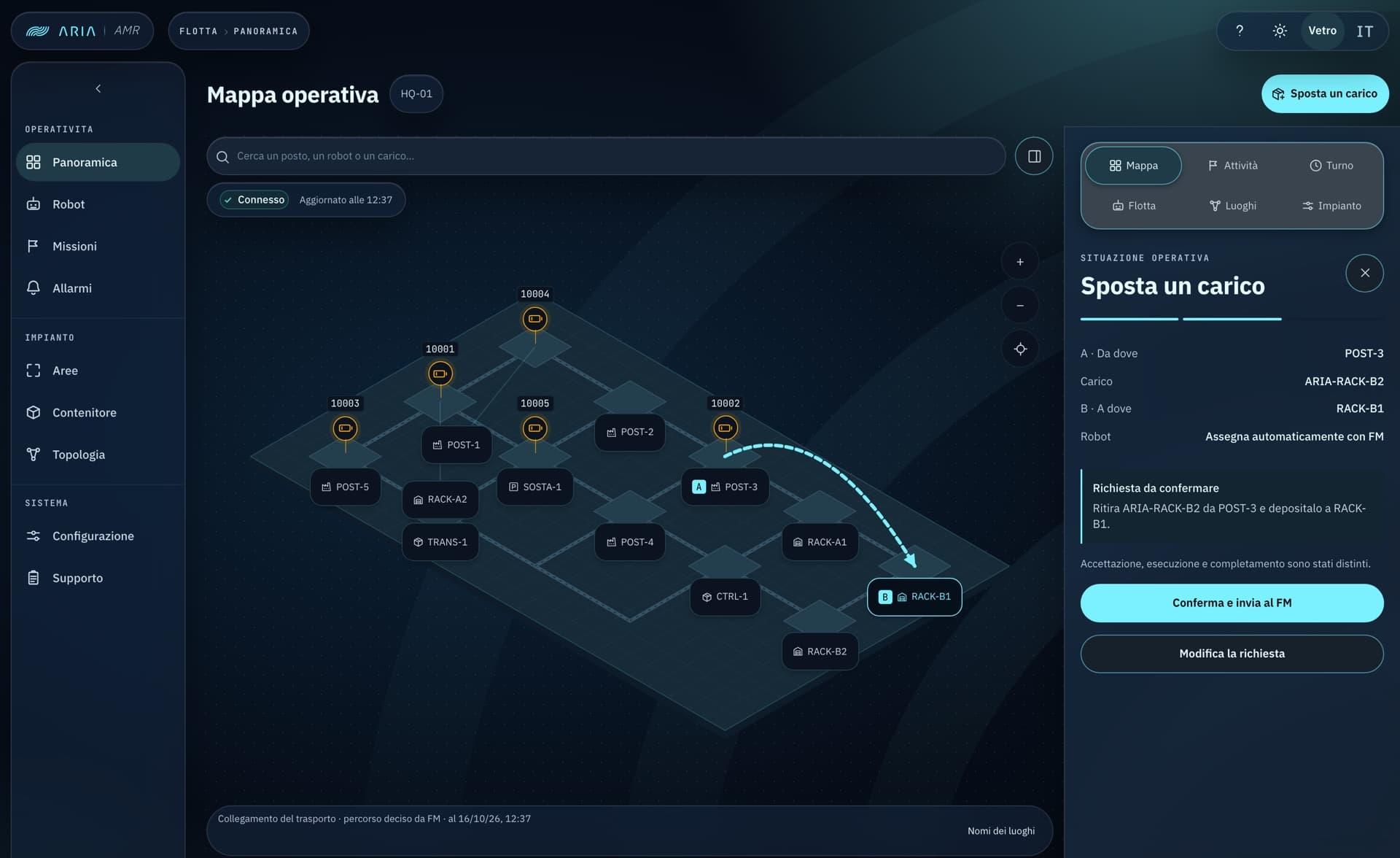
The fleet on the floor plan: robots, places, and call points. Here the operator composes a transport — from where, to where, which load — and sees it drawn on the map before confirming it.
Transport from A to B
Explicit confirmation
Robot assigned by the fleet manager
Screen · 02
Missions
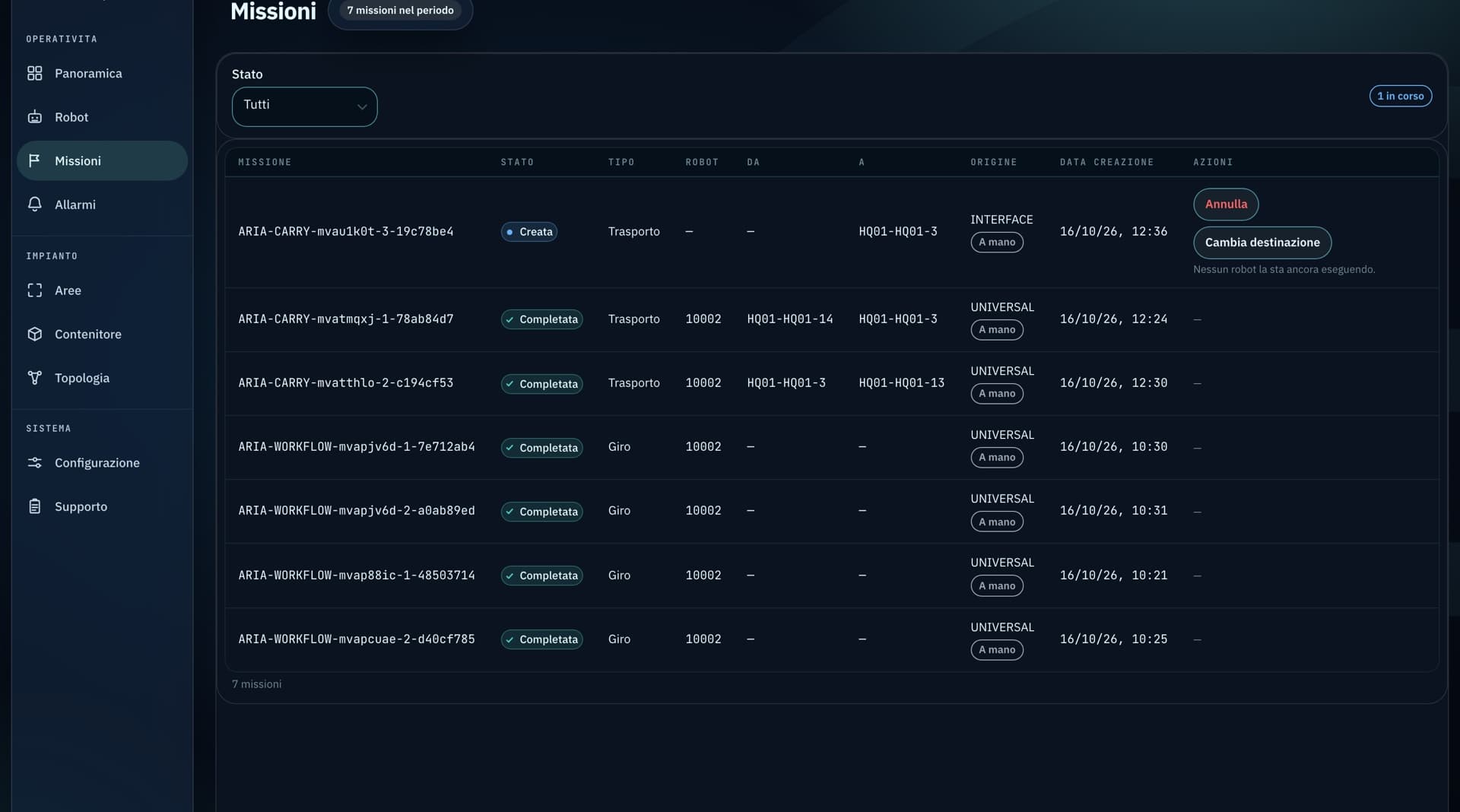
Every mission with its status, robot, origin, and destination. On running missions the operator pauses, cancels, or changes the destination; closed ones stay as the shift history.
Pause · cancel · change destination
Shift history
Transports and tours
Screen · 03
Call-point placards
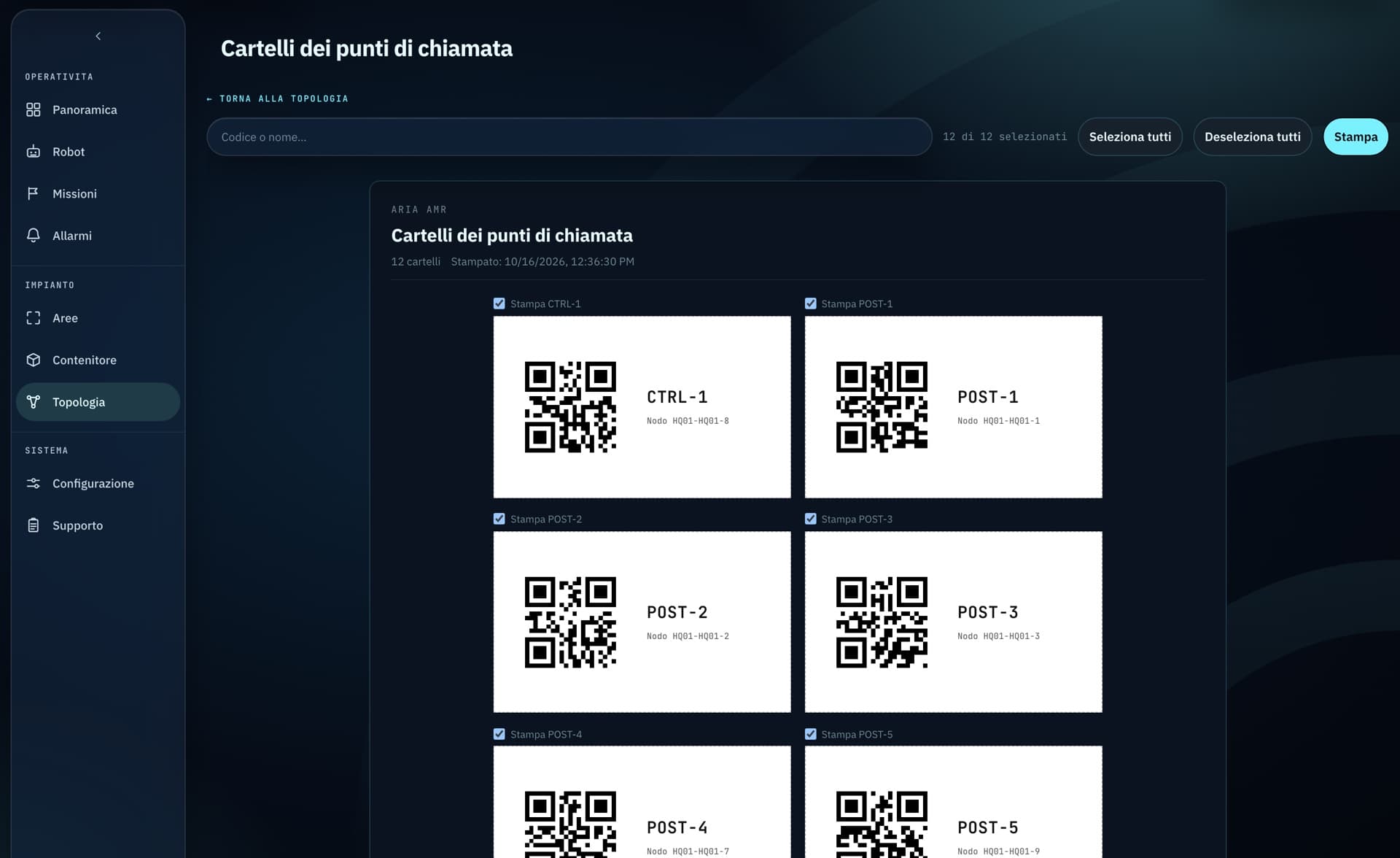
A printable placard for every place on the map, with its name and QR code: on the floor each station carries the same name the operator sees on screen.
Let's see whether ARIA AMR fits your case: what connects to the systems you already run, what changes for the people using it, and what it costs at your scale.