From Comfort Panel to WinCC Unified, with a better panel than before.
Siemens is phasing Comfort Panels out of its catalogue and points to Unified Comfort as the successor. We port existing HMI projects to WinCC Unified — conversion, rebuilding what conversion doesn't cover, validation with the operator — with the method tested at the Siemens hackathon.
The Comfort line is closing
Since 1 October 2024 the 15, 19, and 22-inch Comfort Panels have been in product cancellation: they're only available as spares. The successor Siemens points to is the Unified Comfort series.
Unified isn't a version upgrade
The runtime is built on web technologies, scripts are written in JavaScript instead of VBScript, and the panel also opens in a browser. A Comfort project doesn't recompile: it gets converted, and what conversion doesn't cover gets rebuilt.
Choose when, not whether
Migrating pays off at a moment you choose — a machine overhaul, a new order, a planned shutdown — not at the first failed panel with no spare on the shelf.
Analysis of the existing project
We study the Comfort or Advanced project: what to keep as it is, what's worth changing, which objects conversion won't carry over.
Basic navigation and functions
We rebuild the screen structure and the core functions, so the panel is operational from the first tests.
Automated conversion
Objects and tags move in bulk from the original format to Unified using conversion tools: ready screens and tags already connected.
Operator experience
Layout and visual consistency redesigned for the people who use the panel every day, with security designed in from the start, not added later.
Customization
Project-specific objects, Custom Web Controls, and the extensions automated conversion doesn't cover.
Testing and validation
Functional verification against the original system and validation with the operator, before go-live.
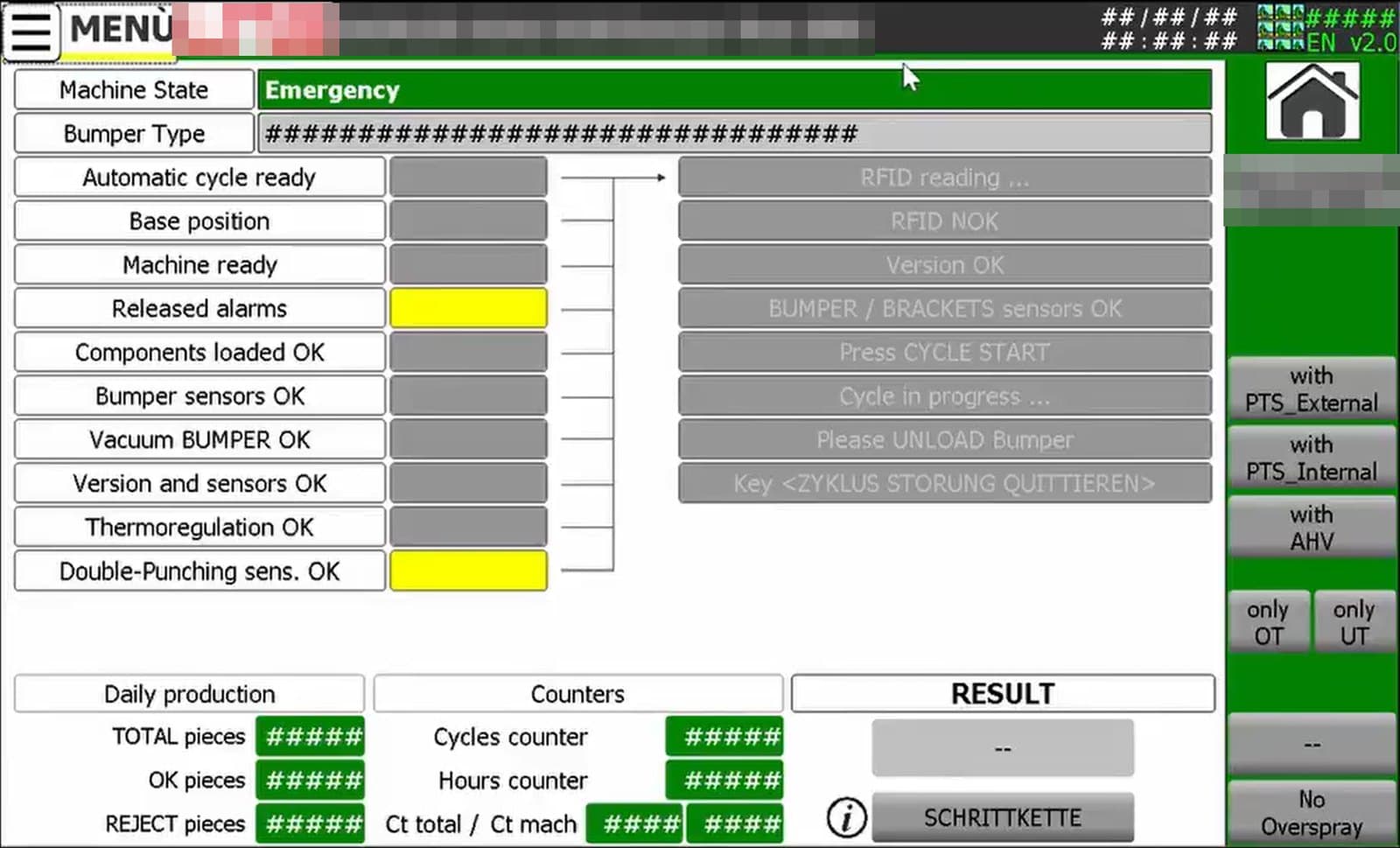
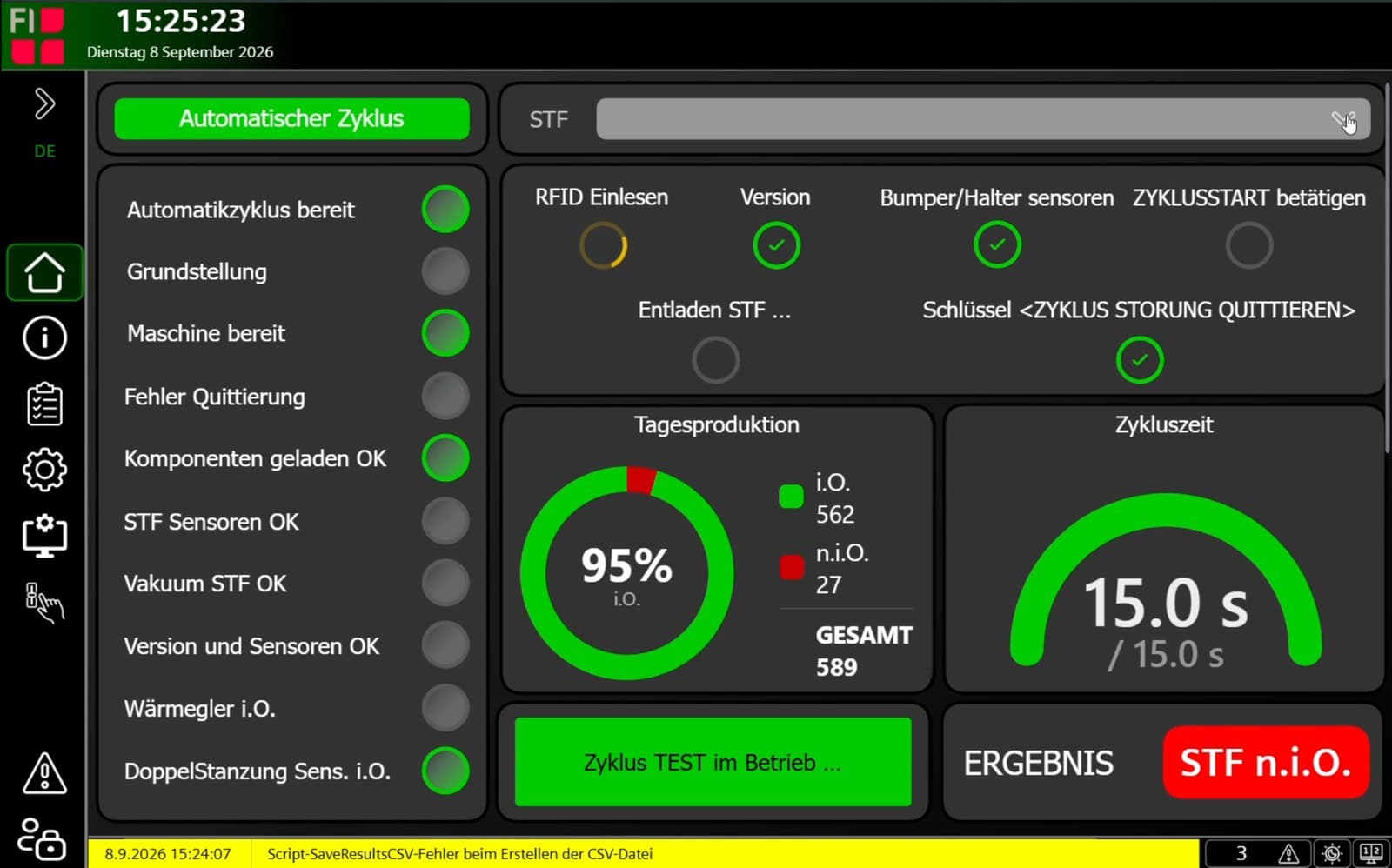
Flat navigation
A few horizontal tabs and no nested menus: the operator reaches any screen in two taps.
Production at a glance
With Custom Web Controls production reads as charts and indicators — shift by shift, part by part — instead of tables of numbers.
The machine in 3D
Instead of two-dimensional icons, an explorable 3D model of the machine, station by station: useful to the operator and above all to maintenance.
Faceplate diagnostics
Safety, Profinet diagnostics, and alarms shown through standard faceplates: easier to read than the old panel's dense tables, with the same detail.
Two screens at once
Split screen shows two independently navigable contexts: what commissioning and maintenance need.
The panel in a browser too
With the Web Client the same interface opens on several monitors or a dedicated workstation, without a second project.
Reports and printouts
Report configuration goes through an add-on and is more involved than on Comfort; the output doesn't replicate the screen and decimal precision needs checking. If reports are part of customer acceptance, they're redesigned and validated separately.
Per-screen limits
The number of Custom Web Controls and faceplates on a screen is limited: page structure is designed around that, not discovered at testing.
Scripts without a debugger
A project can compile without errors while a script doesn't work. Scripts are tested one by one on the panel, and that testing belongs in the schedule.
Hardware load
More web components per page lengthen loading times: the successor panel is chosen for the project, not from the catalogue.
Events on page load
A field's change event also fires when the page loads, with the value unchanged: logic that relies on it has to be written to not treat it as a new value.
At the WinCC Unified Hackathon 2026 organized by Siemens, IOMA worked as system integrator in a team with F.I. Automazione, a builder of welding machines for plastic components based in Caramagna Piemonte, Italy. The project, called Kolibrì, was migrating the operator panel of one of their machines from Comfort to Unified.
The panel was loaded onto a test machine and put in front of operators next to the one in use: same machine, same data, two different experiences. The six-step method and the rules to plan for on this page come from there.
- Event
- WinCC Unified Hackathon 2026 · Siemens
- Team
- IOMA, system integrator · F.I. Automazione, machine builder
- Migration
- WinCC Comfort/Advanced → WinCC Unified
- Project
- Kolibrì
PLC programming and integration
Go to the PLC serviceMachine logic, structured alarms, and data exposed to panel, SCADA, and MES on Siemens PLCs.
Industrial HMI and shop-floor UX
See industrial HMIOperator interfaces consistent across the stations of a line, designed for the people who use them every shift.
Teleservice
See teleserviceSecure remote support on PLC, SCADA, and HMI, including after the new panel goes live.
Do installed Comfort Panels stop working?
Does a Comfort project convert to WinCC Unified automatically?
Does the PLC need to change too?
Is a new TIA Portal version needed?
Should we copy the panel as it was or redo it from scratch?
How long does a Comfort to Unified migration take?
Got a project in mind?
Describe the line and the problem on a 30-minute technical call: we tell you straight away whether it's in our wheelhouse. We typically reply within 24 hours. From the first call to commissioning, you speak to the same person.